
The essential takeaway: Duplicate products act as silent performance killers by confusing Google’s algorithm with conflicting IDs and improper variant setups. This fragmentation dilutes ranking signals and triggers policy warnings, effectively sabotaging visibility. Reclaiming control requires a systematic cleanup using proper item_group_id tags and canonical URLs to ensure Google trusts your feed data again.
Are you unknowingly sabotaging your entire campaign ROI because hidden duplicate products google merchant center conflicts are actively blocking your ads from appearing? Ignoring these overlapping SKUs does far more than just clutter your spreadsheet; it signals to Google that your data is unreliable and forces the algorithm to aggressively suppress your visibility to protect its users.
We will break down the specific technical triggers behind this silent performance killer and hand you a proven, step-by-step cleanup process to restore your traffic volume before a dreaded account suspension hits.
- What Duplicate Products Are and Why They Wreck Your Account
- The Common Mistakes That Create Duplicates
- Your Action Plan for Fixing and Preventing Duplicates
What Duplicate Products Are and Why They Wreck Your Account
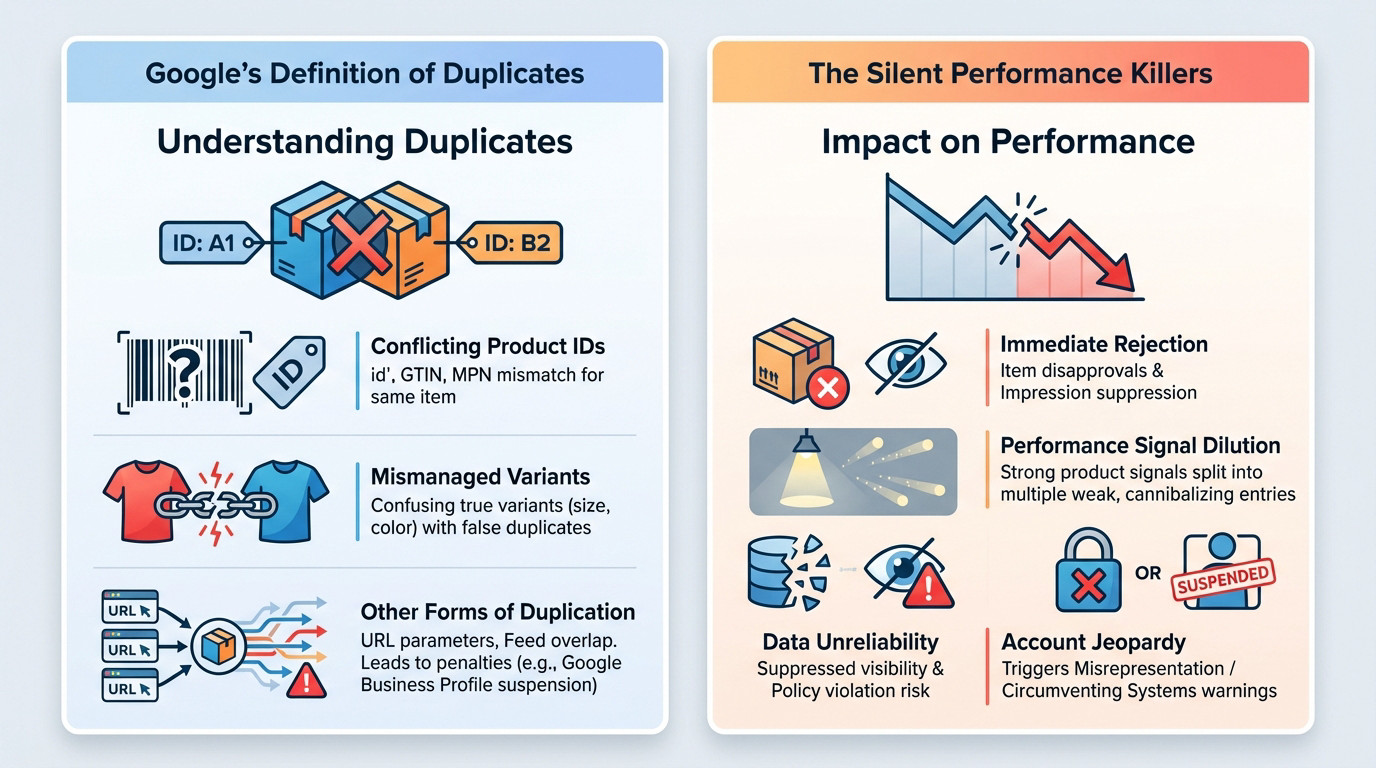
What Google Actually Calls a Duplicate
To Google, a duplicate isn’t just a copy; it is confusion about a physical item. The system flags conflicting product IDs—like id, GTIN, or MPN—pointing to the same article with mismatched data.
You must distinguish between true variants (size/color) and fake duplicates. Mishandling variant structures remains one of the most common and damaging errors.
Other forms include URL duplication from tracking parameters and sloppy feed overlap. This mess triggers penalties elsewhere too, like duplicate Google Business Profile listings, proving bad data hygiene bleeds across platforms.
The Silent Performance Killers
The immediate fallout is brutal: item disapprovals and suppressed impressions. Google simply won’t display products it doesn’t trust, meaning your ad spend yields zero visibility for those SKUs.
Worse, you dilute performance signals. Instead of one strong product ranking high, you get five weak ones cannibalizing each other.
Duplicate products aren’t just a messy spreadsheet. They actively tell Google your data is unreliable, leading to suppressed visibility and putting you on the fast track to a policy violation.
Ignore this long enough, and you risk account-level warnings for misrepresentation or circumventing systems, putting your entire account’s survival in jeopardy.
The Common Mistakes That Create Duplicates
Now that you understand the severity, let’s look at where duplicate products google merchant center flags actually come from. Often, they aren’t created intentionally.
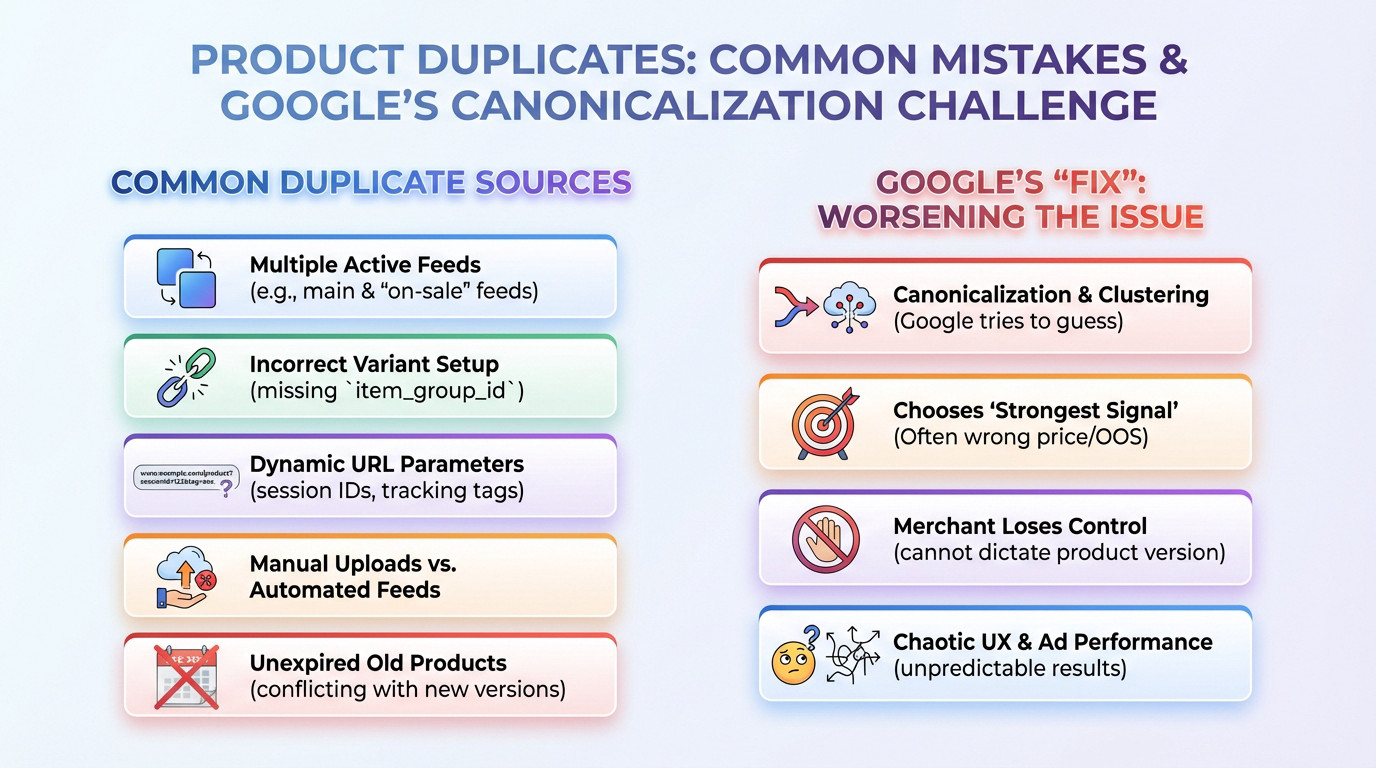
Real-world Causes You Might Not See
These issues usually stem from messy technical configurations or simple oversights, not because you are trying to spam the system.
Here is where the data conflict usually begins inside your structure:
- Multiple active feeds (e.g., a main feed and a separate “on-sale” feed) with overlapping products.
- Incorrect variant setup where each color/size is a new product instead of using
item_group_id. - Dynamic URL parameters from your CMS (like session IDs or tracking tags) creating multiple URLs for one product.
- Manual product uploads made on top of an automated feed, creating instant conflicts.
Additionally, old products that are not correctly marked as expired often linger in the system and enter into conflict with new versions.
Why Google’s “Fix” Makes It Worse
Google uses internal canonicalization and clustering logic to handle this mess. The system attempts to guess which products are duplicates and groups them together automatically.
It then selects a “strongest signal” for display, which might be the version with the wrong price or out-of-stock status.
This means the merchant loses control. Once duplication exists, you cannot dictate which version of the product is shown, which creates a chaotic user experience and advertising performance.
Your Action Plan for Fixing and Preventing Duplicates
Regain control with a systematic approach, not spot-fixes.
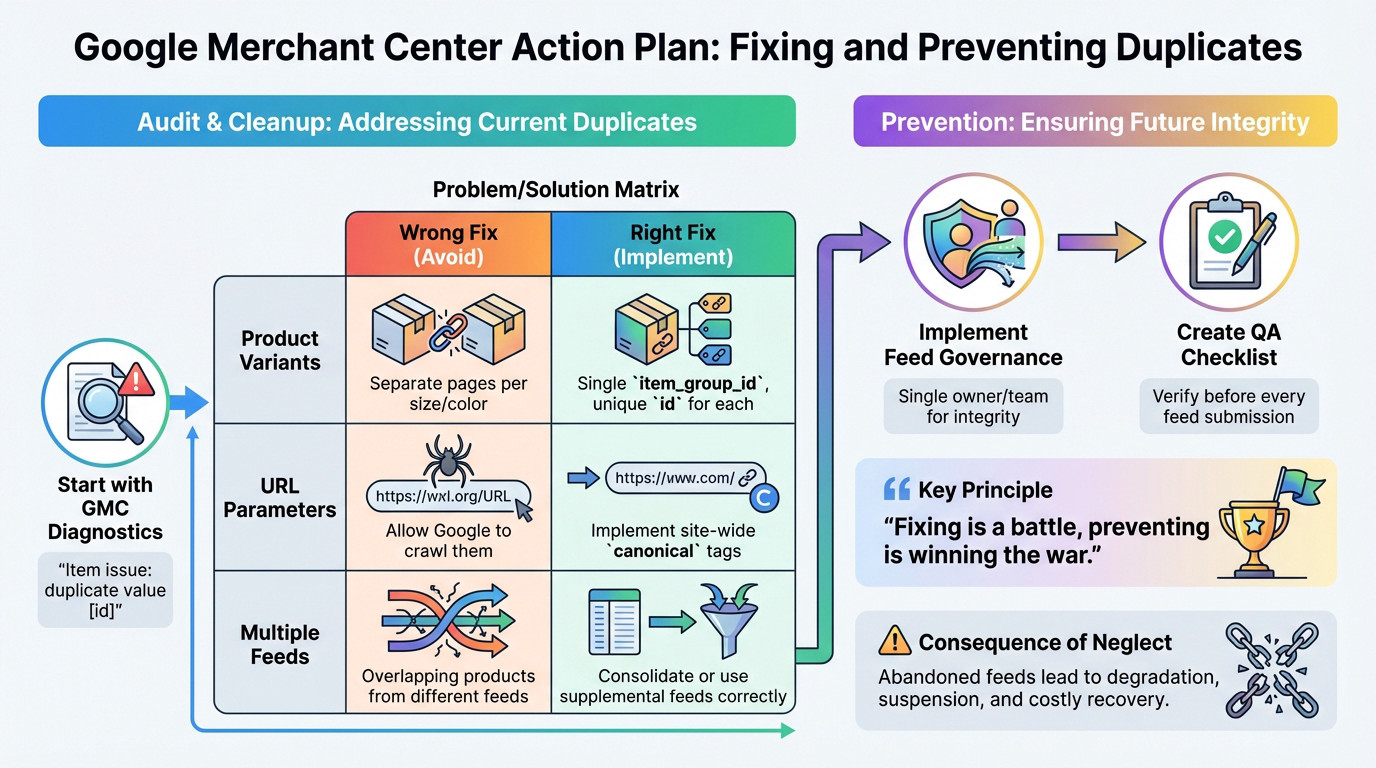
The Definitive Audit and Cleanup Process
Open GMC Diagnostics. The “Item issue: duplicate value” error confirms your data logic failed.
| Issue | The Wrong Fix | The Right Fix |
|---|---|---|
| Product Variants | Separate pages. | Shared item_group_id. |
| URL Parameters | Raw crawling. | canonical tags. |
| Multiple Feeds | Overlaps. | Consolidate feeds. |
How to Stop Duplicates From Ever Coming Back
Enforce strict feed governance. Assign one owner to feed integrity. Always run a QA checklist before pushing.
Prevention is the war. ‘Set and forget’ strategies guarantee future account problems.
Neglected feeds rot, often requiring a full Google Merchant Center recovery process.
Ignoring duplicates isn’t just messy; it’s a direct threat to your account’s survival. You need clean data, not quick hacks. Take control of your feed governance before Google forces your hand. If you are struggling to clear these errors, reach out for a professional audit.
FAQ
Why does Google flag my products as duplicates when they have different IDs?
Google looks beyond the ID. If the physical product appears identical—sharing the same attributes, image, or landing page content—but carries a conflicting `id` or `GTIN`, the algorithm flags it. You are essentially confusing the system by asking it to rank the same item twice, which degrades the user experience and triggers the “duplicate value” error.
Do duplicate products actually lower my ad performance, or just cause warnings?
They actively kill performance. When you have duplicates, you split your impression history and click data across multiple low-performing SKUs instead of building authority on one strong product. This signal dilution forces you to bid against yourself, driving up CPCs while Google suppresses visibility because it doesn’t know which version to trust.
How should I structure variants to avoid duplicate content violations?
Stop submitting every size or colour as a standalone product with identical titles and descriptions. You must use the `item_group_id` attribute to cluster these variants together under one parent. This tells Google they are options for a single product, not separate listings fighting for the same shelf space.
Can URL parameters cause duplicate product issues in Merchant Center?
Absolutely. If your CMS adds session IDs or tracking parameters (like `?source=email`) to product links, Google crawls them as unique pages. Since the content is identical, it triggers a duplicate content flag. You need to implement self-referencing `canonical` tags on your site to tell Google which clean URL is the master version.
What is the most effective way to fix duplicates caused by multiple feeds?
If you are running a primary feed alongside a supplemental or “sale” feed that contains the same items, you must consolidate your data. Ensure that a product exists in only one primary source. If you need to update data, use a supplemental feed matched by ID, rather than re-uploading the product entirely.