
The essential takeaway: Google’s “misrepresentation” flag rarely targets deliberate fraud but rather signals a global lack of trust or data inconsistency. Because the algorithm compares your feed against your site in real-time, ensuring exact synchronization of price and availability remains the primary defense against account suspension. Total transparency in business identity and policies does not just satisfy compliance bots; it secures the customer confidence required to convert.
Is your revenue currently frozen by a vague suspension notice that offers absolutely no clue how to fix it?
We strip away the confusion around the google merchant center misrepresentation policy to pinpoint exactly why your store triggered a trust violation. You are about to get a practical, step-by-step audit plan to correct your data and protect your business from future downtime.
- What Misrepresentation Actually Means to Google
- The Four Red Flags That Trigger Violations Most Often
- Your Audit Checklist: Spotting Risks Before Google Does
- Real Fixes and a System for Long-Term Compliance
What Misrepresentation Actually Means to Google
The Truth Behind the “Misrepresentation” Label
Let’s be clear: “Misrepresentation” rarely means you are lying on purpose. It is simply Google’s catch-all label for anything that triggers a lack of trust or user confusion. The algorithm isn’t calling you a scammer; it’s flagging a friction point.
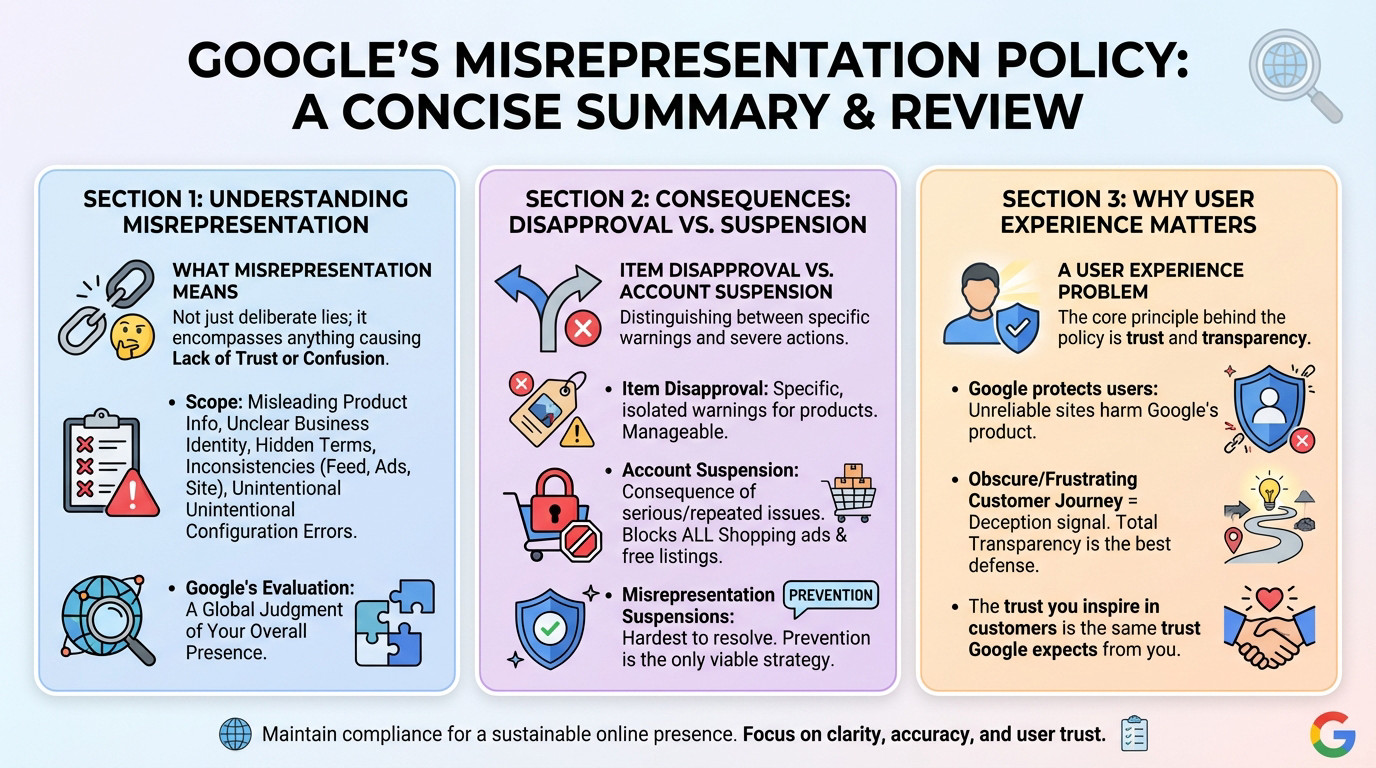
This covers a wide territory: misleading product info, a fuzzy business identity, hidden terms, or just a messy mismatch between your feed, ads, and site. Often, even unintentional configuration errors set off the alarms. You might think it’s a small detail, but the system sees a risk.
Here is the main thing to grasp: Google evaluates your entire presence, not just a single product sheet. It is a global judgment on your business’s credibility.
Item Disapproval vs. Account Suspension
You must distinguish between a warning and a death sentence. Item disapprovals are manageable alerts regarding specific, isolated issues. They are essentially fixable tickets that don’t threaten your entire operation immediately.
A account suspension is different. It is the consequence of serious or repeated violations, and it instantly nukes your traffic by blocking all Shopping ads and free listings. It is a full stop to your revenue stream on the platform.
Suspensions for misrepresentation are notoriously the hardest to resolve because the cause is often vague. Once that door shuts, it stays shut. That is why prevention is the only strategy that actually matters.
Why This is a User Experience Problem, Not Just a Policy Issue
Stop viewing this as a checklist and see it as protection. Google aggressively guards its users because misleading info or an unreliable site hurts their own product. If users get burned, they stop trusting Google Shopping.
From their view, an obscure customer journey or frustrating checkout is a direct signal of deception. That makes total transparency your strongest defense. If you are already facing a ban, a professional Google Merchant Center recovery service might be necessary to navigate the complex appeal process.
Ultimately, the trust you inspire in a human shopper is exactly what Google demands from you. If a customer hesitates, the algorithm will too.
The Four Red Flags That Trigger Violations Most Often
Now that we have defined the problem, let’s look at the specific traps that most frequently lead to penalties.
Unprovable Claims and Empty Superlatives
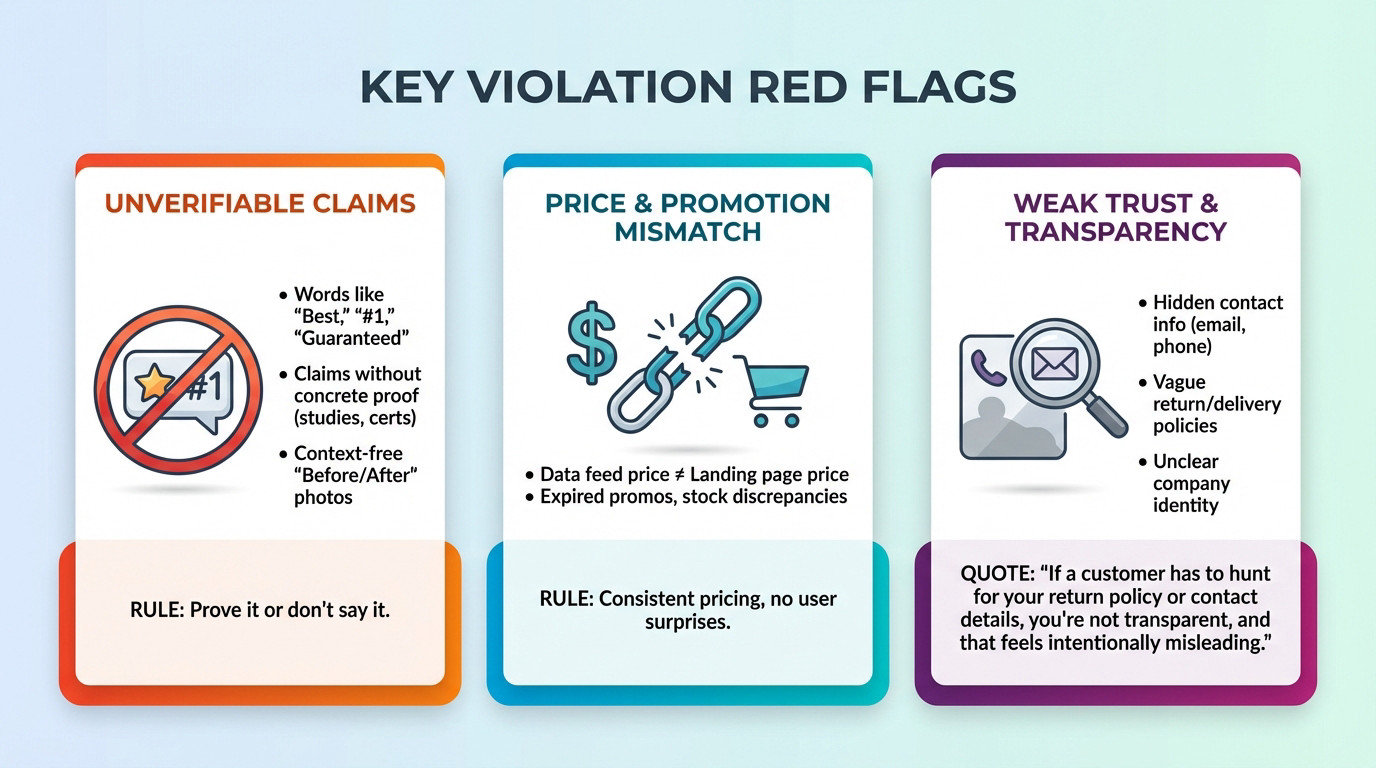
You need to kill the hype to satisfy the google merchant center misrepresentation policy. Words like “the best,” “#1,” or “guaranteed to work” are immediate triggers for unverifiable claims. If Google’s bots cannot verify it against a database, they flag it as misleading.
This extends to performance or health promises without hard evidence. I see merchants get hammered for “miracle cures” or safety claims lacking certification. Even “before and after” photos without context act as a massive warning signal to the system.
The rule is brutal but simple: if you cannot back it up with a credible third-party source, delete it from your copy immediately.
Price, Promotion, and Availability Disconnects
This is the single most frequent killer of accounts. The price in your data feed must correspond exactly to the price on your landing page. There is zero room for error here.
Mismatches happen when a promo runs in the ad but vanishes on the page, or when discounts expire. Worse, listing an item as “in stock” only to reveal it is a “backorder” at checkout will get you banned fast.
The user must face no surprises between the ad they click and the final amount they pay. Consistency is the only metric that matters.
Weak Trust and Transparency Signals
Google audits your entire site for trust signals, not just your products. If your contact information—phone number, physical address, email—is buried or missing, that is a giant red flag. You look like a scammer to the algorithm.
It goes deeper. Vague return windows, unclear shipping costs, or a business identity that shifts from page to page all scream “risk.” Your branding needs to be rock-solid everywhere.
Google’s stance is simple: if a customer has to hunt for your return policy or contact details, you’re not being transparent, and that feels intentionally misleading.
Your Audit Checklist: Spotting Risks Before Google Does
Knowing the traps is one thing, but actively finding them on your own site is another. Here is how to conduct your own audit.
The Number One Culprit: Feed and Site Out of Sync
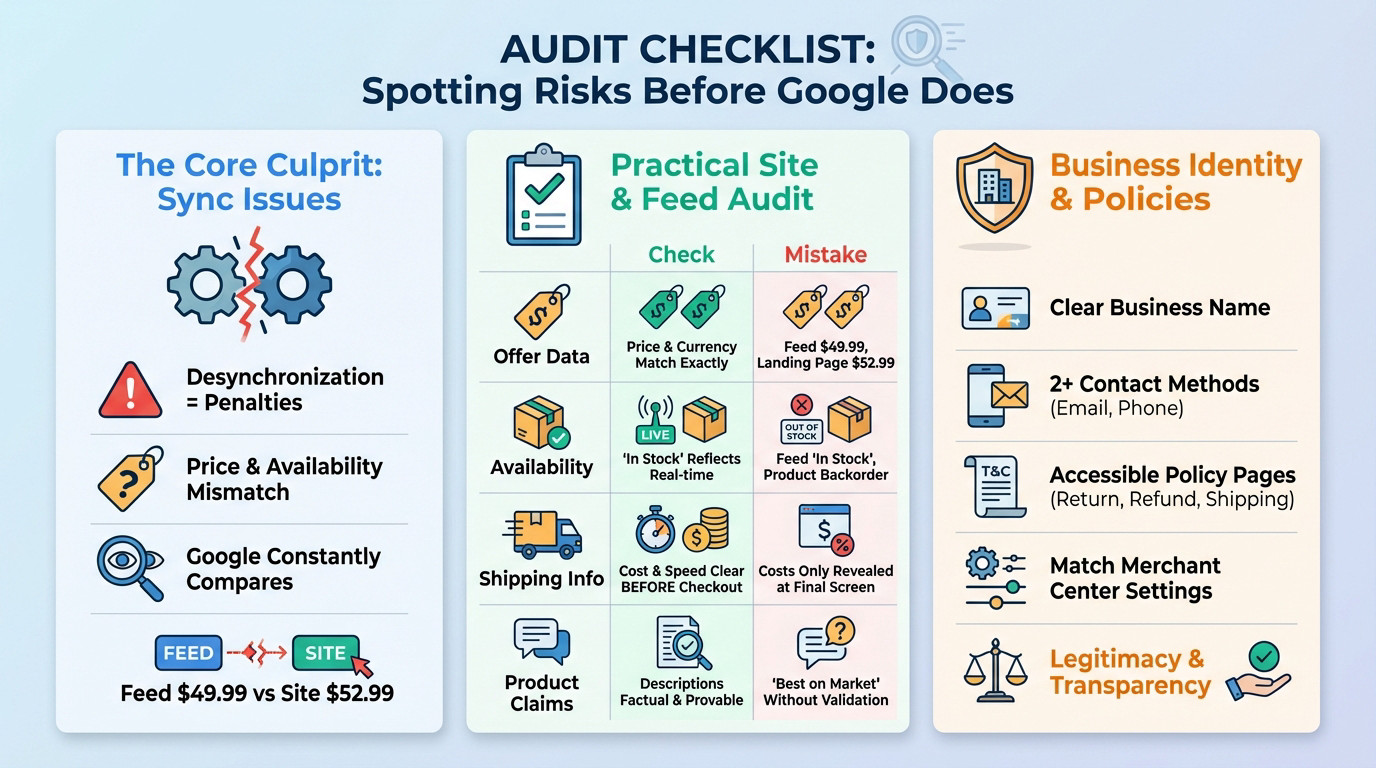
Most penalties under the google merchant center misrepresentation policy stem from this simple desynchronization. It is the absolute starting point for any serious audit because it kills trust instantly. If your feed lags behind your site, you are already flagged.
For example, your visible price might not match the schema markup hidden in the code. Or maybe you updated a sale price on the site, but the feed update is stuck. Even a few hours of delay triggers a mismatch error. Google’s bot crawls both constantly to catch these discrepancies.
Google’s bot compares both sources constantly. Any inconsistency found between the two is treated as a potential policy violation.
A Practical Site and Feed Audit Table
To make things concrete, use this table to systematically check the most common friction points. Stop guessing and look at the data.
| Area to Audit | What to Check For | Common Mistake Example |
|---|---|---|
| Offer Data | Price, sale price, and currency match exactly between feed and landing page. | Feed says $49.99, landing page shows $52.99. |
| Availability | “in stock” status in feed reflects real-time inventory. | Feed says “in stock”, but the product is on backorder at checkout. |
| Shipping Info | Shipping cost and speed are clearly stated before checkout. | Shipping costs are only revealed on the final payment screen. |
| Product Claims | All descriptions are factual and provable. | Using “best on the market” without any third-party validation. |
Scrutinizing Your Business Identity and Policies
Beyond products, Google checks who you actually are. Your site must display a clear business name and at least two distinct contact methods, like email and a phone number. A simple contact form is rarely enough to prove you exist.
Your policy pages—returns, refunds, shipping—must be live and easy to find from any page footer. They also need to match your Merchant Center settings exactly.
It is really a question of legitimacy. A serious business has nothing to hide regarding its identity or conditions. Show clearly who you are to build trust.
Real Fixes and a System for Long-Term Compliance
From Vague Claims to Hard Facts
The fix is simple: replace hyperbole with specificity. Instead of saying “very durable,” say “5-year warranty.” You need to strip away the adjectives that trigger the google merchant center misrepresentation policy bots.
Apply this “claims hygiene” everywhere. Mention the specific materials, the standards met like ISO certification, or exact dimensions. Facts are your best protection against false advertising accusations. Subjective language is just a trap waiting to snap shut on your account.
For promotions, be disciplined. Only advertise what is active, clear, and consistent everywhere.
Achieving Price and Availability Synchronization
Synchronization isn’t optional. Schedule frequent feed updates, ideally right after every price or stock change on your site. If data lags, you lose trust.
Faster update methods to consider:
- Scheduled Fetches: Set GMC to pull your feed multiple times a day.
- Content API for Shopping: For real-time updates, especially for fast-moving inventory.
- Automatic Item Updates: Allow Google to update prices and availability based on your site’s structured data as a safety net.
Building Your Pre-Publish Prevention Routine
Compliance isn’t a one-time project; it is a process. Set up a quality control routine before every major feed push. Don’t let a bad upload kill your momentum.
Treat policy compliance like conversion rate optimization. The clarity that keeps Google happy is the same clarity that convinces a customer to click ‘buy’.
Your simple pre-push checklist:
- Price and sale price match landing page.
- Availability status is correct.
- Landing page URL is not broken.
- Promotion is active and clear.
Stop treating these policies as obstacles. Google simply demands the same transparency your customers expect. By aligning your feed data with your landing pages and clarifying your business identity, you secure your account and build real trust. That is the foundation of every successful store.
FAQ
What does Google actually mean by “misrepresentation”?
It is rarely about deliberate lying. In Google’s eyes, “misrepresentation” is a catch-all term for anything that erodes user trust or creates confusion. If your website hides shipping costs until checkout, lacks clear contact details, or makes unprovable claims like “best quality in the world,” Google views this as a trap for the user. It isn’t just about the product; it is a judgment on the transparency and legitimacy of your entire business identity.
Is an item disapproval the same as an account suspension?
Definitely not, and knowing the difference is vital. An item disapproval is a warning shot targeting a specific product—usually for a policy violation like a bad image or a restricted keyword. Your other products keep running. A suspension is the nuclear option. It means Google has flagged your entire account as untrustworthy, disabling all your Shopping ads and free listings instantly. While disapprovals are a quick fix, suspensions require a deep audit of your site and business practices.
What are the most common “red flags” that trigger a suspension?
The number one culprit is a disconnect between your data feed and your landing page. If your ad shows a product “in stock” at £50, but the user clicks through to find it out of stock or priced at £55, you are at high risk. Other major triggers include “empty” trust signals—such as having no physical address or phone number in your footer—and missing policy pages. If a customer has to hunt for your return policy, Google assumes you are hiding something.
How can I ensure my prices and availability stay in sync?
You cannot rely on manual updates if your inventory moves fast. The delay between changing a price on your site and updating your feed is where violations happen. To fix this, enable Automatic Item Updates in Merchant Center. This allows Google to read the structured data (schema) on your landing page and automatically correct the price or stock status in your ads, acting as a safety net against discrepancies.
My account is suspended. What should I do before requesting a review?
Do not click “request review” immediately. You have a limited number of appeals, and a “cool down” period applies if you fail repeatedly. First, audit your site specifically for trust signals: ensure you have at least two visible contact methods (email and phone/address), verify that your checkout is secure (HTTPS), and remove any superlative claims you can’t prove with a third-party link. Only submit your appeal once you are 100% sure the data on your site matches your Merchant Center feed exactly.